

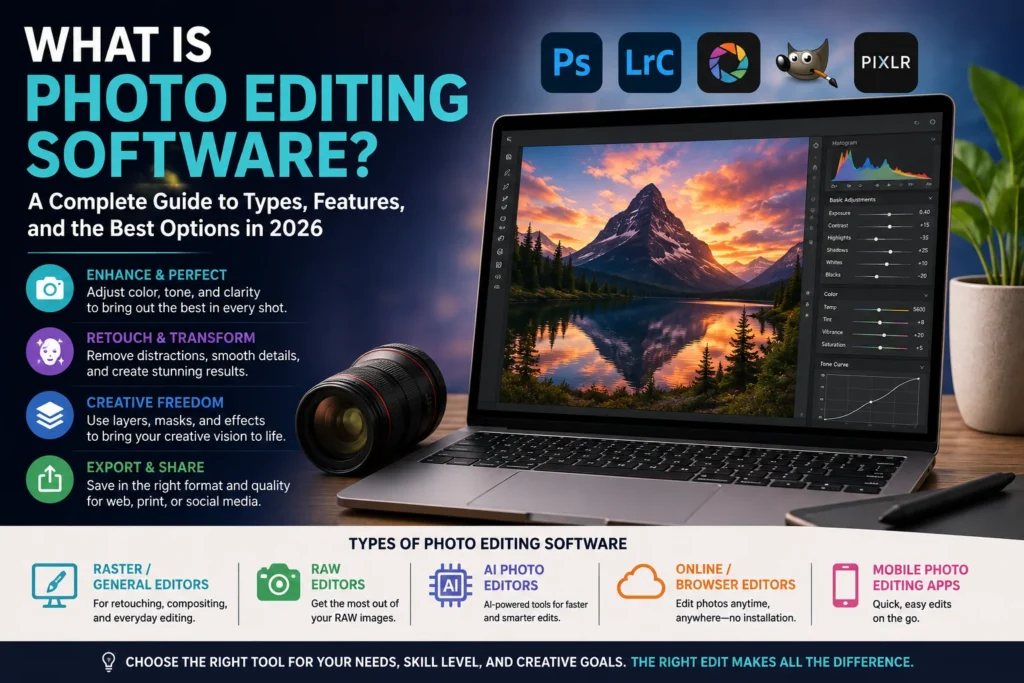
Almost every photo you see online today, on a brand’s website, a friend’s Instagram, or a real estate listing, has been touched by editing software before you ever laid eyes on it. Photo editing software is the technology behind that process, and it’s evolved dramatically over the past few years as AI has moved from a novelty feature into the core of how photos get edited.
This guide explains what photo editing software actually is, the different types available, how free and paid options compare, and what to look for whether you’re a total beginner or a working professional.
What Is Photo Editing Software?
Photo editing software is a computer program or app used to modify, enhance, and manipulate digital images, adjusting things like exposure, color, sharpness, and composition, or making more advanced changes like removing objects, retouching portraits, and combining multiple images together.
Technically, most photo editing software falls into a category called raster graphics editors, also known as bitmap editors. According to HandWiki’s technical description, a raster graphics editor is a program that allows users to create and edit images interactively and save them in raster graphics file formats, such as JPEG, PNG, and TIFF. Raster images are made up of a fixed grid of pixels, tiny colored squares, and editing software works by changing the color and tone values of those individual pixels.
This distinguishes raster-based photo editors from vector graphics software, which builds images from mathematical paths rather than fixed pixels, and is better suited to logos and illustrations that need to scale to any size without losing quality. Photos, by contrast, are pixel-based, which is why photo editing software is built specifically around raster editing.
How Photo Editing Software Works
At a functional level, photo editing software typically supports a core set of operations:
- Selecting a region of the image to edit, rather than applying a change to the whole photo
- Adjusting color and tone, including brightness, contrast, saturation, and white balance
- Retouching, such as removing blemishes, dust spots, or unwanted objects
- Working with layers, allowing multiple edits to be stacked and adjusted independently without permanently altering the original image
- Applying filters and effects, from simple color grading presets to complex compositing
- Exporting the finished image in a chosen format and resolution for its intended use, whether that’s web, print, or social media
More advanced photo editing programs also support RAW processing, working directly with the unprocessed image data captured by a camera’s sensor rather than a compressed JPEG, giving photographers significantly more control over exposure and color correction before an image is finalized.
Types of Photo Editing Software
Not all photo editing software is built for the same purpose. Understanding the main categories makes it easier to choose the right tool for a specific need.
Raster/General-Purpose Photo Editors
The broadest category, covering programs built for retouching, color correction, and general pixel-level editing. This includes industry-standard tools like Adobe Photoshop as well as free alternatives like GIMP, which handle everything from simple crops to complex, multi-layer compositing.
RAW Photo Editors
Purpose-built for processing RAW image files straight from a camera, offering fine-grained control over exposure, white balance, and color that isn’t possible once an image has already been compressed into a JPEG. Programs in this category, such as Adobe Lightroom and ON1 Photo RAW, are especially popular with photographers who want to preserve maximum image quality throughout their workflow.
AI Photo Editing Software
A rapidly growing category that uses artificial intelligence to automate tasks that traditionally required manual pixel-level work, such as background removal, sky replacement, skin retouching, and even generative fill, using AI to intelligently add or remove content from a photo. AI photo editing tools are increasingly built directly into mainstream editors rather than sold as standalone products, reflecting how central AI has become to the category as a whole.
Online/Browser-Based Photo Editors
Photo editing software that runs directly in a web browser, requiring no download or installation. This category has grown significantly as browser-based tools like Photopea have matured into genuinely capable alternatives to installed software, making photo editing accessible on any device with an internet connection, including Chromebooks and tablets that can’t run traditional desktop software.
Mobile Photo Editing Apps
Designed specifically for smartphones and tablets, mobile photo editing apps prioritize speed and simplicity, often built around quick presets and one-tap adjustments rather than the deep manual controls found in desktop software. For casual users and social media content creators, mobile apps are frequently the primary, and sometimes only, photo editing tool they use.
Free vs. Paid Photo Editing Software
One of the most common questions people have when choosing photo editing software is whether a free option is good enough, or whether a paid subscription or one-time purchase is worth it.
Free photo editing software has become significantly more capable in recent years. Tools like GIMP offer a genuinely full-featured, Photoshop-like editing experience at no cost, while browser-based options like Photopea provide free access to layer-based editing without any installation. For beginners, casual users, or anyone editing photos occasionally rather than professionally, free photo editing software is often more than sufficient.
Paid photo editing software tends to differentiate itself through more advanced AI tools, tighter integration with professional workflows, RAW processing performance, customer support, and regular feature updates. Adobe’s Photoshop and Lightroom remain the industry standard for many professional photographers and retouchers, typically sold via subscription, while alternatives like ON1 Photo RAW and Affinity Photo offer one-time purchase options for buyers who prefer to avoid ongoing subscription costs.
Neither option is objectively “better” across the board. The right choice depends on how frequently someone edits photos, how advanced their editing needs are, and whether ongoing AI feature updates or a lower total cost matters more for their specific use case.
Photo Editing Software by Platform
Availability and performance can vary meaningfully depending on the operating system:
- Mac photo editing software — Apple’s own Photos app offers basic built-in editing, while professional Mac users typically turn to Photoshop, Lightroom, Affinity Photo, or ON1 Photo RAW, all of which offer native Mac versions optimized for Apple Silicon performance.
- Windows/PC photo editing software — The same major professional tools are available on Windows, alongside PC-specific free options like Paint.NET, which has built a loyal following among Windows users for its lightweight, beginner-friendly interface.
- Online photo editing software — Platform-independent by design, browser-based editors work the same way regardless of operating system, making them a practical option for anyone switching between devices.
Who Uses Photo Editing Software
Photo editing software serves a wide range of users with very different needs:
- Beginners and casual users typically want simple, intuitive tools with one-tap presets rather than deep manual controls.
- Photographers rely on RAW editing software for color-accurate, high-quality processing straight from their camera.
- Real estate professionals use specialized photo editing workflows for tasks like virtual staging, sky replacement, and interior lighting correction to make listings more appealing.
- E-commerce businesses depend on photo editing software for consistent product photography, background removal, and image standardization across large catalogs.
- Social media content creators favor fast, mobile-first editing apps built around trends, filters, and quick turnaround.
- Professional retouchers and studios use the most advanced raster editing tools for detailed portrait retouching, compositing, and commercial photo production.
The Role of AI in Modern Photo Editing
AI has fundamentally changed what photo editing software can do, and how quickly. Tasks that once required a skilled editor working manually with selection tools and layers, removing a background, replacing a sky, smoothing skin realistically, can now often be completed with a single click, as AI models trained specifically for these tasks handle the pixel-level work automatically.
This shift is reshaping the competitive landscape of the entire photo editing software market. Companies are racing to build AI capabilities directly into their core products rather than treating them as optional add-ons, a pattern consistent with how AI is reshaping other categories of creative and business software more broadly. Readers interested in how AI is transforming software categories beyond photo editing can find more in our artificial intelligence coverage and software industry news.
Photo Editing Software and Media Industry Trends
Photo editing software doesn’t exist in isolation from the broader media and content industry. As AI-generated and AI-edited images become more common across social platforms, publishers, and marketing, questions about authenticity, disclosure, and manipulation detection are becoming increasingly relevant to how photo editing tools are built and used. For continuing coverage of how AI is reshaping visual content, media platforms, and digital authenticity standards, visit our media and entertainment coverage.
What Happens Next for Photo Editing Software
A few trends are shaping where the category is headed:
- Deeper AI integration as a baseline expectation, not a premium feature. AI-powered background removal, generative fill, and automated retouching are increasingly standard across both free and paid tools, rather than differentiators reserved for expensive software.
- Continued growth of browser-based editing. As web-based tools close the capability gap with installed desktop software, expect more casual and even semi-professional editing to shift toward online photo editing software that requires no download.
- Subscription fatigue driving demand for one-time-purchase alternatives. As more software categories move to subscription pricing, tools that offer a genuine one-time purchase option, without an ongoing subscription, are likely to remain an important segment of the market for buyers who prefer to own their software outright.
- Growing specialization by industry. Expect continued growth in photo editing tools purpose-built for specific use cases, such as real estate virtual staging or e-commerce product photography, rather than only general-purpose editors.
Conclusion
Photo editing software has evolved from simple pixel-manipulation tools into a category shaped increasingly by AI, spanning everything from free browser-based editors to professional RAW processing suites used by working photographers. Whether the right choice is a free tool for occasional use, a subscription-based professional suite, or a one-time-purchase alternative depends entirely on how often someone edits, how advanced their needs are, and which platform they work on. As AI continues to automate more of the editing process, the gap between what beginners and professionals can accomplish is likely to keep narrowing.
For continuing coverage of photo editing software, creative technology, and the AI tools reshaping digital media, visit Tech News Reports.