

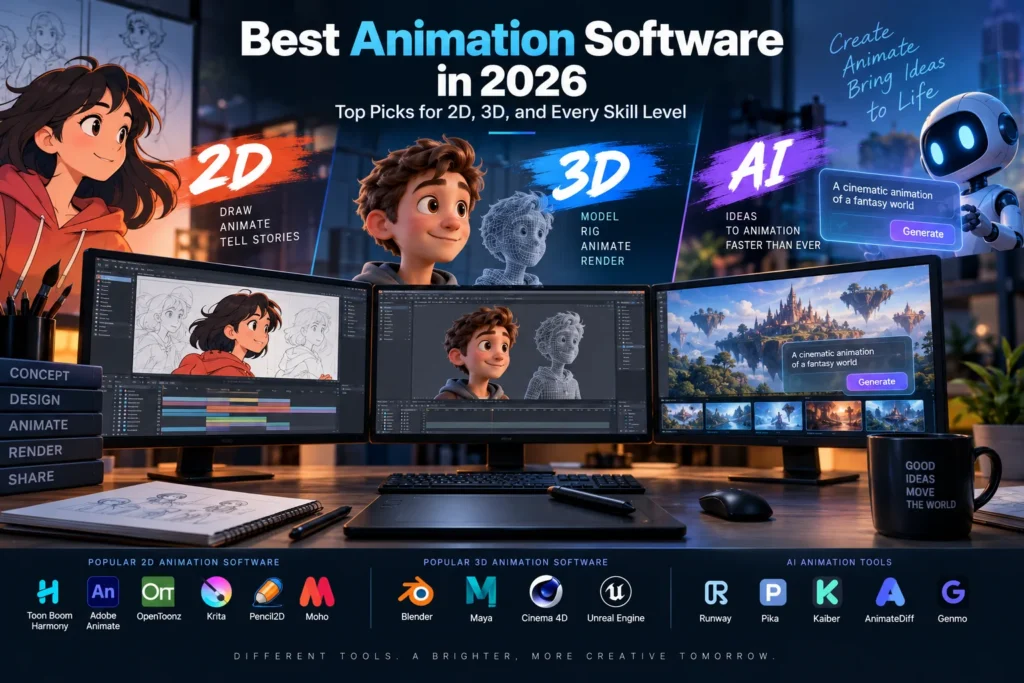
Animation software has never been more accessible, or more fragmented by purpose. A tool built for hand-drawn frame-by-frame 2D animation works nothing like a tool built for rigging a 3D character, and neither resembles the newer wave of AI-assisted animation platforms that can generate motion from a text prompt. Picking the “best” animation software isn’t really about finding one winner, it’s about matching the right tool to what’s actually being made.
This guide breaks down the best animation software across 2D, 3D, free and paid tiers, and emerging AI tools, along with how to actually choose between them based on skill level and project type.
How to Think About “Best” Before Picking Software
There is no single best animation software in 2026, only the best one for a specific job. Before comparing tools, it helps to answer three questions: Is the project 2D or 3D? Is the goal professional, production-grade output or a quick, approachable result? And is budget a hard constraint, or is a paid subscription realistic? Those three answers narrow the field dramatically, since most animation software is genuinely excellent at one type of work and mediocre at everything else.
Best Overall Free Animation Software: Blender
Blender is widely considered the best free animation software overall, and for good reason. It’s completely free, open-source, and covers an entire production pipeline: 3D modeling, rigging, animation, rendering (through both Cycles and EEVEE engines), compositing, and even VFX and motion tracking, all with no watermarks and full commercial-use rights.
What surprises a lot of newcomers is that Blender isn’t limited to 3D. Its Grease Pencil system lets artists draw directly in 3D space, making it one of the most powerful free 2D animation tools available as well, and it supports mixing hand-drawn 2D animation with full 3D environments in the same scene. That flexibility, genuinely professional-grade 3D plus a capable 2D toolset, is why Blender shows up as the top recommendation across nearly every major animation software comparison in 2026.
The tradeoff is a steeper learning curve than beginner-focused tools, so newcomers should expect real time investment before feeling comfortable with the interface.
Best 2D Animation Software
For Professional Studio Work: Toon Boom Harmony and OpenToonz
Toon Boom Harmony is the professional standard for 2D animation used across the television and film industry, offering advanced rigging, frame-by-frame drawing, and production-grade pipeline tools, though it isn’t fully free. OpenToonz, by contrast, is completely free and open-source, and carries genuine studio heritage: it’s built on technology used at Studio Ghibli, making it one of the most capable free options for ambitious short films and anime-inspired 2D projects.
For Vector and Web Animation: Adobe Animate and Rive
Adobe Animate remains a standard choice for vector-based and web animation, available through a Creative Cloud subscription. Rive has emerged as a strong option specifically for interactive, real-time animation used inside apps and websites, with a usable free plan.
For Beginners: Pencil2D and Krita
Pencil2D is consistently recommended as the easiest starting point for hand-drawn 2D animation, with a simpler interface and gentler learning curve than more advanced tools. Krita, meanwhile, is free, open-source, and pairs a genuinely excellent drawing and painting engine with capable frame-by-frame animation tools, making it a favorite among artists who already draw digitally and want animation features in the same program.
For Character Rigging: Moho
Moho (formerly Anime Studio) is frequently singled out for character rigging specifically, offering a mid-range price point between free tools and full professional suites, making it a popular choice for indie creators animating recurring characters.
Best 3D Animation Software
Best Free Full-Pipeline Option: Blender
As in the 2D category, Blender again takes the top spot for 3D, offering a completely free, full-pipeline 3D animation workflow with no feature restrictions, modeling, rigging, animation, and rendering all included in one program.
Industry Standard for Studio Production: Autodesk Maya
Autodesk Maya remains the industry standard for professional 3D character animation used across major film and game studios, though it comes at a premium subscription cost, with a free option available for students.
Best for Motion Graphics: Cinema 4D
Cinema 4D is widely favored for motion graphics and commercial work specifically, valued for staying more approachable than Maya while still reaching professional-grade output, and for its strong integration with Adobe After Effects pipelines.
Best for Real-Time and Game Development: Unreal Engine
Unreal Engine offers free access for individuals and educators (with licensing costs applying only above certain revenue thresholds) and has become a serious tool for 3D cinematics and real-time rendering, not just game development, thanks to its increasingly filmmaker-friendly toolset.
Best AI-Assisted Character Animation: Cascadeur and Mixamo
Cascadeur specializes in AI-assisted pose cleanup and physics-aware character animation, with a free non-commercial tier. Mixamo, Adobe’s free library of more than 500 motion-capture animations with automatic character rigging, remains one of the fastest ways for beginners to get a rigged, animated 3D character without building a rig from scratch.
The Rise of AI Animation Tools
A newer category has emerged rapidly: AI-powered animation platforms that generate motion directly from text prompts or reference images, rather than requiring manual keyframing or rigging. These tools offer complete script-to-animation pipelines with both 2D and 3D generation capabilities, professional animatics, and pre-visualization output, aimed at dramatically shortening the early, exploratory stages of animation production. AI motion capture tools like Plask and AI-generated 3D assets from platforms like Meshy fall into this same emerging category, letting users go from an idea to a rough animated result in minutes rather than hours.
These tools remain a complement to, not a replacement for, traditional animation software. They’re genuinely useful for fast pre-visualization, animatics, and rough drafts, but professional, polished output still typically flows through traditional 2D or 3D pipelines for final production quality.
Best Animation Software by Skill Level
Absolute beginners should start with Pencil2D for 2D or Blender’s beginner tutorials for 3D basics, both offer a genuinely gentle introduction without sacrificing room to grow.
Intermediate creators and hobbyists looking for more control without a subscription should look at Krita or Synfig Studio for 2D, and continue deepening their Blender skills for 3D, since both categories offer meaningfully more depth once the basics are comfortable.
Professionals and studios requiring industry-standard pipelines and collaboration tools should expect to invest in Toon Boom Harmony or Adobe Animate for 2D, and Autodesk Maya or Cinema 4D for 3D, tools built around the production demands of television, film, and commercial studio work.
Marketers and non-animators who need finished animated video without learning animation software at all are better served by template-driven or AI-assisted platforms that generate narrated, branded video from a document or prompt, trading creative control for speed.
Best Animation Software by Platform
Most professional-grade animation software, Blender, Maya, Cinema 4D, Unreal Engine, and Cascadeur, runs across Windows, macOS, and Linux, giving users broad platform flexibility regardless of which operating system they prefer. Toon Boom Harmony and Adobe Animate are available on Windows and macOS. For mobile animation, apps like FlipaClip offer a genuinely capable, if more limited, animation experience directly on a phone or tablet.
Why the Right Choice Matters More Than the “Best” Label
The animation software comparisons published every year consistently arrive at the same underlying conclusion: matching the tool to the job matters far more than chasing whichever software gets called “best” in a given ranking. A 3D animator picking Blender for a quick 2D explainer video, or a marketer trying to learn Maya for a simple social media clip, will struggle regardless of how capable either tool objectively is. For businesses evaluating animation and creative software as part of a broader content or product pipeline, this same principle applies across the wider category of specialized creative tools our software industry coverage tracks regularly, and connects closely to the modeling fundamentals covered in our 3D modeling software guide.
Where AI Fits Into the Bigger Picture
The rapid growth of AI-assisted animation tools mirrors a broader pattern playing out across creative and technical software categories, generation and automation tools increasingly complementing, rather than replacing, skilled manual work. For more on how AI is reshaping creative software more broadly, see our artificial intelligence coverage.
What Happens Next
A few trends are shaping where animation software is headed in the near term:
- AI-generated pre-visualization becoming standard practice. Expect more studios and independent creators to use AI animatic and pre-viz tools early in production, reserving traditional keyframe animation for final, polished output.
- Free tools continuing to close the gap with paid software. Blender’s dominance across both 2D and 3D free rankings, alongside OpenToonz’s studio-grade 2D heritage, suggests professional-quality free animation software will keep expanding rather than remaining a beginner-only tier.
- Deeper integration between 3D modeling and animation workflows. As motion capture libraries like Mixamo and AI rigging tools mature, expect the gap between “having a 3D model” and “having an animated character” to keep shrinking.
- Platform-specific AI tools maturing beyond novelty status. AI motion capture and pose-cleanup tools like Plask and Cascadeur are likely to become standard parts of professional pipelines rather than experimental add-ons.
Conclusion
The best animation software in 2026 depends entirely on what’s being built: Blender leads for free, full-pipeline work across both 2D and 3D, Toon Boom Harmony and Autodesk Maya remain the professional standards for studio-grade 2D and 3D production respectively, and a fast-growing wave of AI tools is reshaping how quickly early-stage animation and pre-visualization can happen. Rather than searching for one universal winner, the most useful approach is matching the tool to the specific project, skill level, and budget at hand.
For continuing coverage of animation software, creative technology, and the tools shaping digital content production, visit Tech News Reports.